How to Update Your Gallery Name
To change the "Gallery name" that appears when visitors click on an Artwork inside your Virtual Exhibition, follow these steps: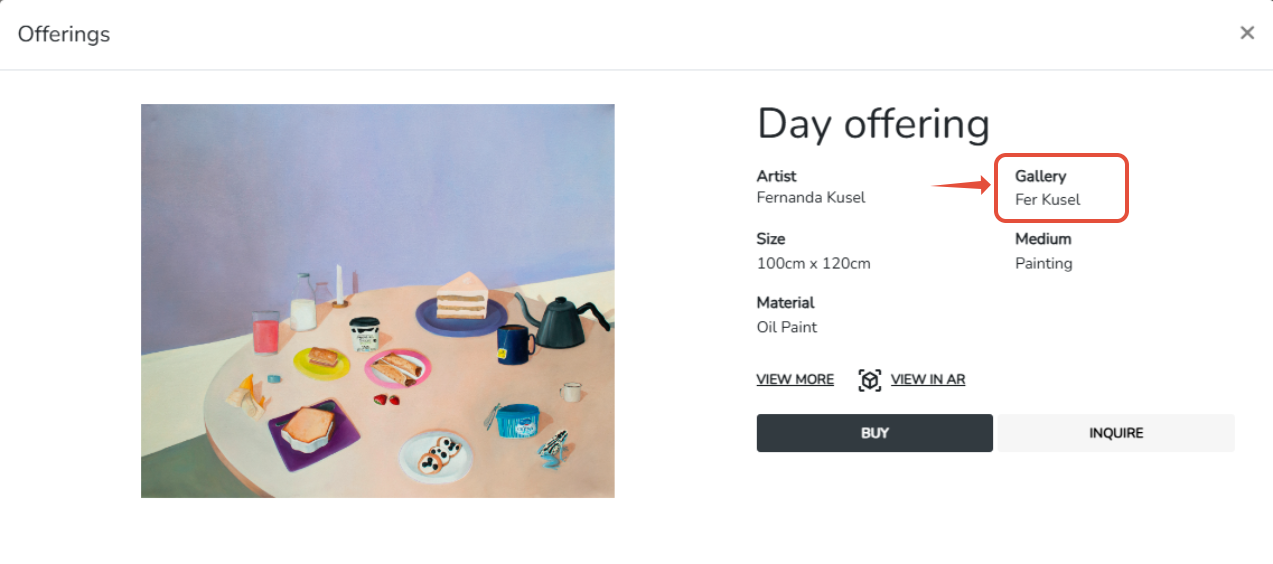
Head to the Discover Profile section.
Open your Discover Profile and navigate to Step 1 (Info).
Edit the Gallery Name field with the new name you want.
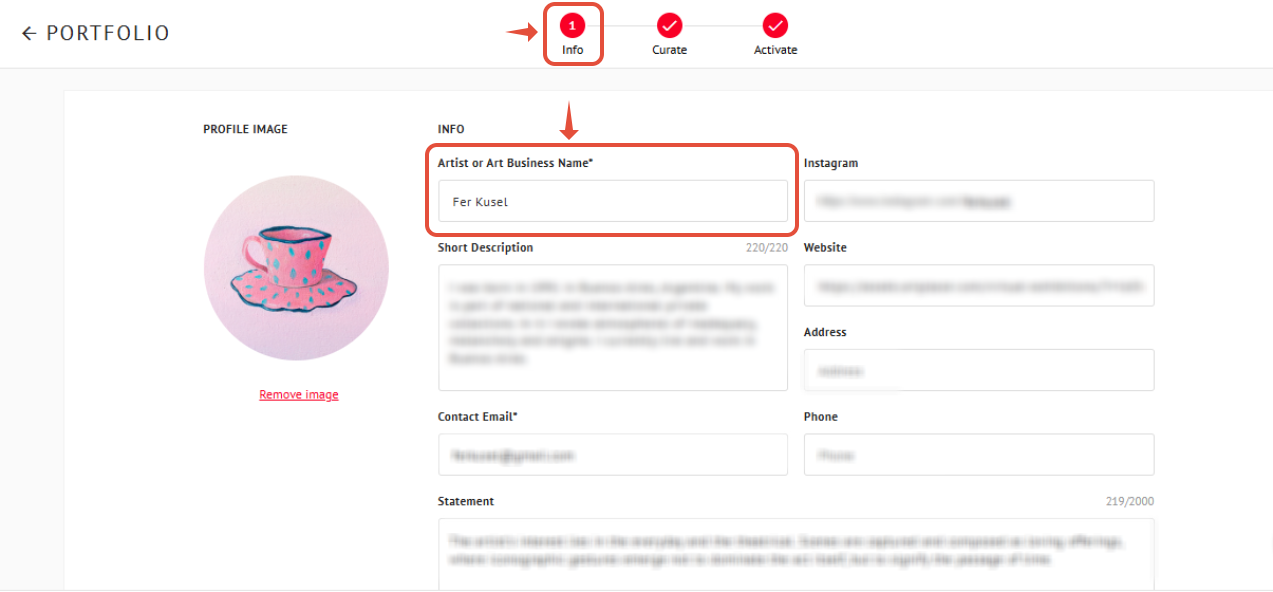
Click Save and Continue.
Once saved, your Virtual Exhibition will automatically display the updated gallery name.
Although it may seem unrelated at first, the gallery name displayed inside your Virtual Exhibition comes from the Gallery Name you assign in the Discover Profile section.
Updating this does not change the overall name of your Virtual Exhibition. Instead, it only updates the gallery name shown in the artwork detail panel when a visitor clicks on an artwork.
Important Note
You do not need to publish or make your Profile public for this change to take effect. Simply updating the name and saving your changes is enough.