You can remove Artworks you no longer need directly from the Artworks section.
Delete a single Artwork:
- Open the Artworks section.
- Hover over the Artwork you want to remove.
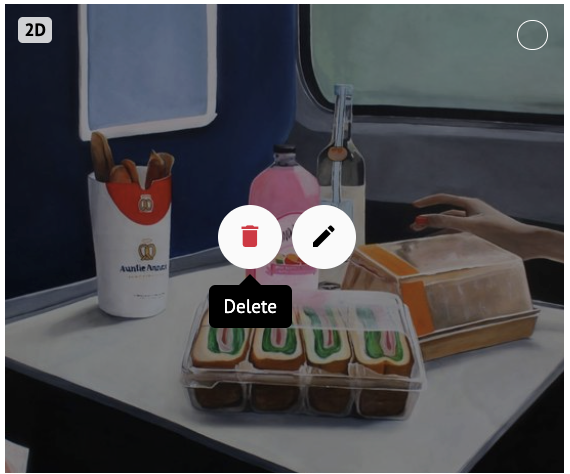
- Click the Delete button.
- Confirm by clicking YES in the pop-up that appears.
Delete Artworks in Bulk:
- In the Artworks section, select the Artworks you want to remove.
- Click the Delete Artworks button.
3. Confirm the action in the pop-up.
⚠️Keep in mind: Deleting an Artwork will also remove it from your Discover Profile and any Room Mockups or Virtual Exhibitions where it was being used. Before deleting, double-check whether the Artwork is still being used in any Mockups or exhibitions you want to keep.