Table Of Contents:
What is The Presentations Section
Here you can find the 4 types of Presentations:
How To Access The Presentations Section
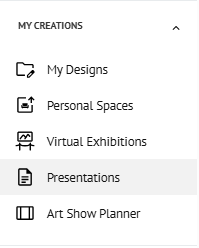
Go to Sidebar > My Creations, and then click on PRESENTATIONS.
You can also access this section by clicking CREATE PRESENTATION within the Artworks Section using 'Bulk Actions'.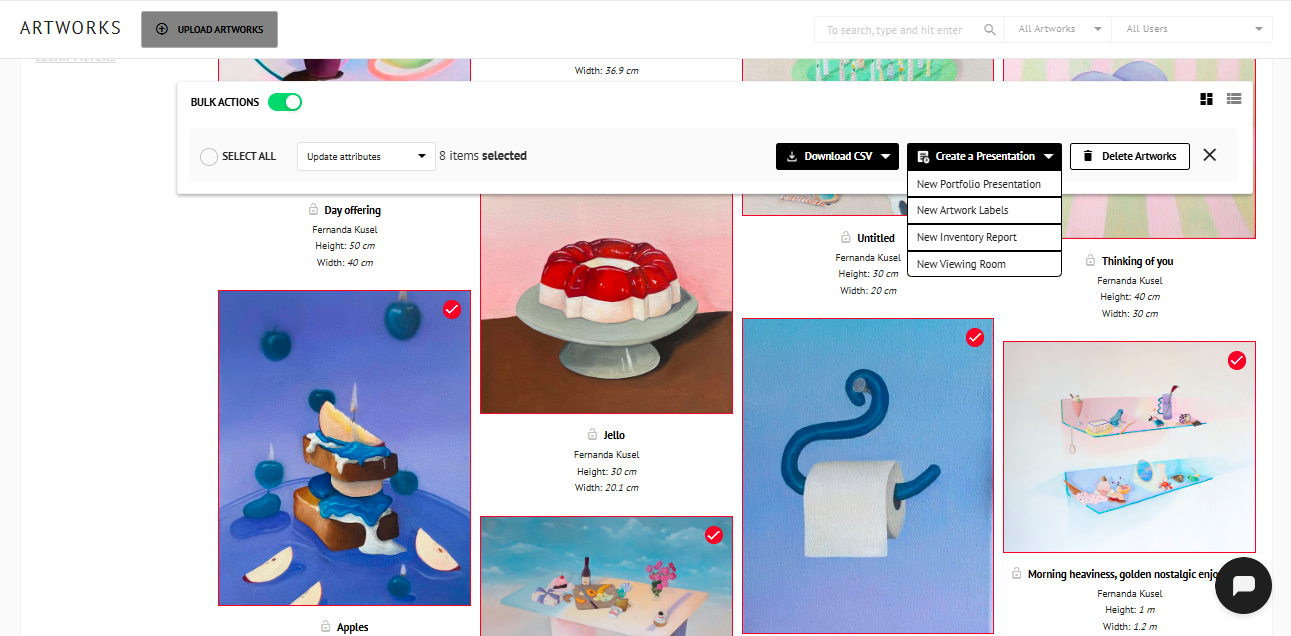
Key Functionalities:
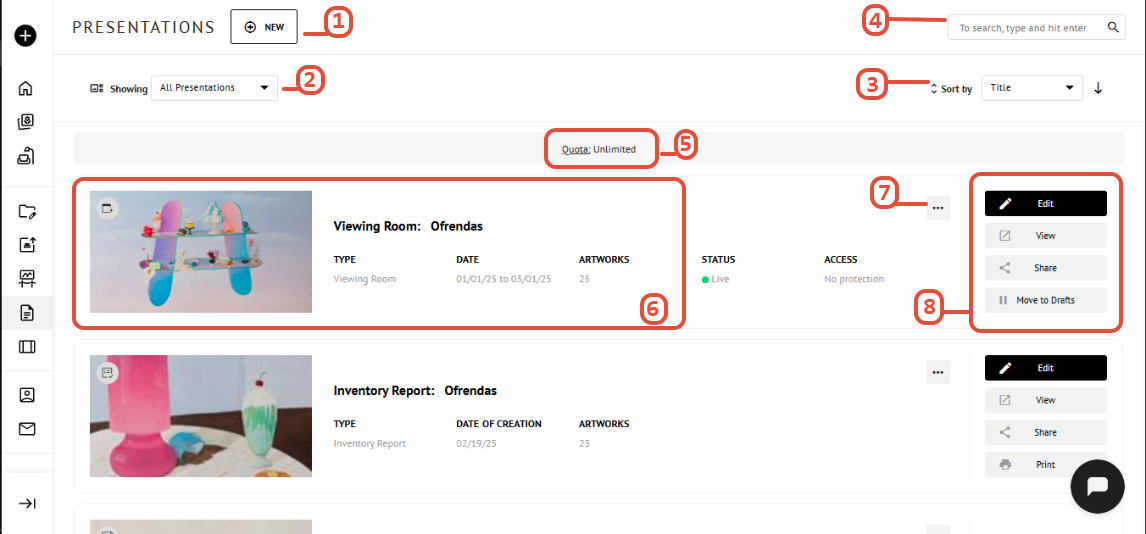
- Click NEW to create a PRESENTATIONS.
- Sort results by Type of Presentation (Portfolio Presentation, Artwork Labels, Inventory Report & Viewing Room).
- Sort results by title or creation date. Click the arrow to switch between ascending and descending order.
- Type keywords in the search bar to find a Presentation by title.
- Displays the number of Presentations currently available in your quota.
- Each Presentation displays its thumbnail, title, description, type, date of creation, and total number of artworks.
- Tap to rename, duplicate, or delete a Presentation.
- Click on the Edit, View, Share, or Print buttons to modify your presentation, preview it, share it with your customers, or print it directly for a seamless experience.